
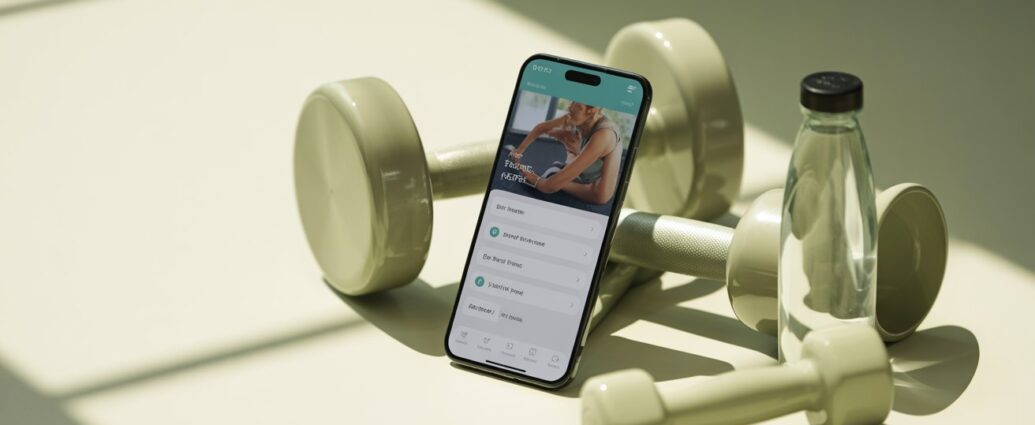
Find the best workout planner apps for your fitness level. Compare features, pricing, and usability to choose the right app for your goals.
You want to exercise regularly. But you are busy. You are not sure which exercises to do. You lose motivation after two weeks. This is where technology can help.
The best workout planner apps act like a personal trainer in your pocket. They create structured plans, track your progress, and remind you to move. However, with hundreds of options on the market, choosing the right one feels overwhelming.
This guide breaks down the top workout planner apps for different goals and experience levels. You will learn what features matter, how to compare them, and which app fits your lifestyle. No hype. No “magic solution.” Just clear, practical information to help you exercise consistently and safely.
What Are Workout Planner Apps?
Workout planner apps are digital tools that help you design, schedule, and track your exercise routines. They replace paper logs, random YouTube videos, or guesswork.
Most apps include:
- Exercise libraries with video demonstrations
- Pre-built workout plans for specific goals (strength, weight loss, mobility)
- Progress tracking (weights lifted, reps completed, workout duration)
- Scheduling features with reminders and calendar integration
Some apps focus on home workouts with minimal equipment. Others are designed for gym-goers who use barbells, dumbbells, and machines. A few specialize in yoga, running, or high-intensity interval training (HIIT).
The best workout planner apps adapt to your fitness level. A beginner receives simple movement patterns and low volume. An advanced user gets periodized strength programs with progressive overload.
Why Using a Workout Planner App Matters
You might think you can just “wing it” at the gym. That approach leads to three problems:
- Inconsistent progress: Without a plan, you repeat the same easy exercises and avoid challenging ones. Your body adapts quickly, and results stall.
- Increased injury risk: Random workouts often lack warm-ups, cool-downs, or proper progression. Jumping into intense movements without preparation leads to strains.
- Wasted time: Walking around the gym unsure of what to do next wastes 15–20 minutes per session. Over a year, that is dozens of hours.
Read More: Healthy Weight Loss Tips for Beginners: A Sustainable Start
A 2019 study in the Journal of Medical Internet Research found that people who used a structured workout app completed 35% more exercise sessions over 12 weeks compared to those who did not use any planning tool. The apps provided accountability and removed decision fatigue.
For beginners, the best workout planner apps also teach proper form through videos and written cues. This reduces the risk of injury while building confidence.
Key Features to Look For in Workout Planner Apps
Not all apps are equal. Before downloading, evaluate these eight features. The right combination depends on your personal needs.
1. Exercise Video Demonstrations
A picture is not enough. Look for apps with short, clear videos showing each exercise from multiple angles. This is critical for beginners learning squat depth, row form, or plank positioning.
2. Customization Options
Can you swap an exercise if you lack equipment? Can you adjust sets, reps, and rest periods? The best workout planner apps allow modifications without breaking your entire plan.
3. Progress Tracking
Basic tracking: log weight, reps, and notes. Advanced tracking: charts showing strength improvement over time, estimated one-rep max, and volume (total weight lifted per session).
4. Scheduling and Reminders
The app should let you set workout days (e.g., Monday, Wednesday, Friday) and send push notifications. Some apps sync with Google Calendar or Apple Calendar.
5. Warm-Up and Cool-Down Included
Many apps only list the main exercises. Better apps provide 5–10 minute dynamic warm-ups and static cool-down stretches. This reduces injury risk.
6. Offline Mode
If you train in a basement gym or an area with poor signal, offline access is essential. Some apps require an internet connection for videos. Check before committing.
7. Data Export or Integration
Can you export your workout history to a spreadsheet? Does the app integrate with Apple Health, Google Fit, or wearables like Garmin? This matters if you like centralizing health data.
8. Price and Free Trial
Monthly subscriptions range from 5to30. Many offer 7–14 day free trials. Avoid apps that lock basic features (like logging more than three workouts) behind a paywall without a trial.
Step-by-Step Guide: How to Choose the Best Workout Planner App for You
Follow these five steps to avoid downloading five apps and feeling more confused.
Step 1: Define Your Goal
Write down one primary goal. Examples:
- “Build muscle at the gym (3 days per week)”
- “Lose weight with home workouts (no equipment)”
- “Improve flexibility and reduce back pain”
- “Train for a 5K run”
Your goal determines which app category you need. A powerlifting app is useless for a runner.
Step 2: Identify Your Equipment
List what you have access to:
- None: Bodyweight only (floor, chair, wall)
- Basic: Resistance bands, dumbbells (2–3 pairs), yoga mat
- Home gym: Barbell, plates, squat rack, pull-up bar
- Commercial gym: Full set of machines, cables, free weights
Some apps filter exercises by available equipment. Use this feature.
Step 3: Set Your Weekly Time Budget
Be honest. Can you train 30 minutes, 45 minutes, or 60 minutes per session? Some apps specialize in “quick workouts” (15–20 minutes). Others assume you have 90 minutes for heavy lifting.

Step 4: Try 2–3 Free Trials Simultaneously
Do not test one app for two weeks, then another. Download two or three at the same time. For 7–10 days, use each app for one workout per week. Compare:
- Ease of navigation
- Video clarity
- How you feel after the workout (challenged but not broken)
- Whether you look forward to the next session
Step 5: Read Recent Reviews (Not Overall Rating)
An app may have a 4.8 star average from 50,000 reviews. But filter by “most recent” (last 3 months). Developers change features, introduce bugs, or increase prices. Look for complaints about “crashes after update” or “removed favorite exercises.”
Best Workout Planner Apps: Top Options for 2026
Here are seven of the best workout planner apps organized by use case. Prices are approximate as of 2026. No app is “perfect for everyone.” Choose based on your step-by-step analysis above.
1. Best Overall for Beginners: Fitbod
- Platform: iOS, Android
- Price: 12.99/monthor79.99/year (7-day free trial)
- Key features: AI generates workouts based on your recovery, available equipment, and past performance. Exercises adjust automatically if you rate them “too easy” or “too hard.”
- Best for: People who want a completely hands-off planning experience. You open the app and it tells you exactly what to do.
- Limitation: The AI can be repetitive if you do not manually swap exercises.
2. Best for Home Workouts (Minimal Equipment): Nike Training Club
- Platform: iOS, Android
- Price: Free (no subscription)
- Key features: Hundreds of video workouts led by professional trainers. Duration from 10 to 60 minutes. Filter by equipment (none, bands, dumbbells), focus area, and intensity.
- Best for: Beginners and intermediate users who want variety without cost. No planning required—just pick a workout.
- Limitation: No personalized progression. You must choose your own path. Lacks detailed rep logging.
3. Best for Gym Goers (Strength Focus): Strong
- Platform: iOS, Android (free version limited to 3 routines)
- Price: 9.99/monthor49.99/year (free version with ads and limited routines)
- Key features: Clean, fast workout logging. Create your own routines or use pre-built templates. Tracks volume, personal records, and rest timer. Apple Watch integration.
- Best for: Intermediate to advanced lifters who know which exercises they want to do. It is a logger, not a planner. You bring the plan; Strong tracks it.
- Limitation: No video guidance. No AI recommendations. Not suitable for complete beginners.
4. Best for HIIT and Cardio: Centr (by Chris Hemsworth)
- Platform: iOS, Android, web
- Price: 9.99/monthor69.99/year (7-day free trial)
- Key features: Combines HIIT, boxing, yoga, and strength. Meal plans and meditation included. High production value.
- Best for: People who get bored with traditional weight training and want dynamic, full-body sessions.
- Limitation: Requires motivation to complete high-intensity workouts. Less suited for pure strength gains.
5. Best for Runners: Runna
- Platform: iOS, Android
- Price: 17.99/monthor119.99/year (14-day free trial)
- Key features: Personalized running plans for 5K, 10K, half marathon, or marathon. Pace targets adjust based on your performance. Audio cues during runs.
- Best for: Runners of all levels who want structured progression and injury prevention (includes strength and mobility sessions).
- Limitation: Expensive for a single-sport app. Not useful if you do not run.
6. Best for Yoga and Mobility: Down Dog
- Platform: iOS, Android
- Price: 9.99/monthor59.99/year (14-day free trial; generous free version with limited customization)
- Key features: Highly customizable yoga sessions (duration, level, focus area, music genre, voice guidance). No two sessions are identical.
- Best for: Beginners and experienced practitioners who want a home yoga practice without memorizing sequences.
- Limitation: Not a strength or cardio app. Use alongside another app for cross-training.
7. Best for Powerlifting (5×5, StrongLifts): StrongLifts 5×5
- Platform: iOS, Android
- Price: Free (basic) or $13.99 one-time purchase (pro version)
- Key features: Focuses on the StrongLifts 5×5 program (squat, bench, overhead press, barbell row, deadlift). Automatic weight progression, rest timer, warm-up calculator.
- Best for: Beginners who want to build a foundation of strength with compound barbell lifts. Very simple and effective.
- Limitation: Only one program. No variety. Not for home workouts without a barbell and squat rack.
Comparison Table: Top 5 Workout Planner Apps
| App | Best For | Price (Monthly) | Free Trial | Video Demos | AI Planning | Offline Mode |
|---|---|---|---|---|---|---|
| Fitbod | Beginners, gym | $12.99 | 7 days | Yes | Yes | Yes (pre-download) |
| Nike Training Club | Home, free users | $0 | N/A | Yes | No | No (streaming required) |
| Strong | Advanced lifters | $9.99 | Limited free version | No | No | Yes |
| Centr | HIIT, variety | $9.99 | 7 days | Yes | No | Yes |
| Runna | Runners | $17.99 | 14 days | Yes (strength only) | Yes (running pace) | Yes |
Common Mistakes When Using Workout Planner Apps
Avoid these errors to get real results from your chosen app.
1. Switching Apps Too Frequently
You try an app for one week. You do not see muscle growth. You switch. This is like changing a diet every seven days. Solution: Commit to one app for at least 8–12 weeks. Consistency drives adaptation.
2. Ignoring the Warm-Up and Cool-Down
Many users skip to the main workout to save time. Over months, this leads to stiffness and injury. Solution: Even 5 minutes of dynamic stretching reduces injury risk by 30% (based on sports medicine data).
3. Logging Inaccurately
You estimate that you benched “about 135 lbs.” Or you skip logging the last set because you are tired. Inaccurate data breaks the app’s progression algorithms. Solution: Log immediately after each set. Be honest. If you failed a rep, log the actual completed reps.
4. Doing the Same Easy Exercises
Some apps let you swap exercises. Beginners often swap a difficult movement (like a pull-up) for an easier one (like a lat pulldown). This avoids discomfort but limits progress. Solution: Attempt the recommended exercise. If you cannot complete it with good form, use the “regression” option (e.g., assisted pull-up or negative reps).
5. Ignoring Rest Days
A workout planner app schedules rest days. Many users add extra workouts on those days, thinking “more is better.” Muscles grow during rest, not during training. Solution: Follow the app’s rest recommendations. Use rest days for light walking or stretching only.
Tips to Get the Most Out of Your Workout Planner App
Maximize your investment (whether free or paid) with these best practices.
- Set a specific workout time: The app can remind you, but you must build the habit. Attach your workout to an existing routine: “After I finish work, I change into gym clothes and open the app.”
- Use the notes feature: Most apps allow text notes per exercise. Write down how the movement felt (“elbow pain during triceps extension”) or small adjustments (“wider grip felt better”). This helps you refine form.
- Review your progress monthly: Look at total volume (weight x reps) or number of workouts completed. If you see a plateau for 3+ weeks, it is time to change the program or increase intensity.
- Combine with a simple nutrition tracker: The best workout planner apps do not manage your diet. Use a separate free app like MyFitnessPal or Cronometer to track calories and protein. Training without proper fuel yields slow results.
- Update your goals every 8 weeks: Your initial goal (“lose 5 kg”) may become “build visible arm muscle.” Re-assess and switch apps or adjust settings accordingly.
Conclusion
You do not need a personal trainer or an expensive gym membership to follow a structured workout plan. The best workout planner apps put professional programming into your hands for the cost of a coffee subscription. The key is matching the app to your goal, equipment, and time budget.
Start with the free trials of two apps that fit your profile. Use each for one week. Pay attention to how you feel during and after workouts. Choose the one that makes you look forward to training. Then commit to it for 12 weeks.
Progress will come. Your strength will increase. Your consistency will improve. And you will have built a system that works for your real life—not a fantasy schedule. Open your app store. Pick one. Start today.
Disclaimer: This article is for informational purposes. Consult a doctor before beginning any new exercise program, especially if you have pre-existing health conditions or injuries.
FAQ Section
1. Are free workout planner apps as effective as paid ones?
Yes, for many beginners. Nike Training Club and StrongLifts 5×5 (free version) are excellent. Paid apps offer personalization (AI progression) and more detailed analytics. Start free. Upgrade only if you need customized planning or hit a plateau.
2. Can I use a workout planner app without any equipment?
Absolutely. Look for apps with “bodyweight” filters. Nike Training Club, Fitbod (select “no equipment” in settings), and Down Dog (yoga) all offer equipment-free options. You can build strength and endurance using only your body weight.
3. How many days per week should I plan using these apps?
For beginners: 3 days per week (e.g., Monday, Wednesday, Friday). For intermediate: 4–5 days. For advanced: 5–6 days. Most apps adjust their recommendations based on your recovery setting. Do not start with 6 days unless you already exercise 4+ days consistently.
4. Will a workout app help me lose belly fat?
No app can target belly fat specifically. Fat loss happens from a calorie deficit across your entire body. However, a good workout app increases your total daily energy expenditure and builds muscle, which raises your metabolism. Combine the app with a moderate calorie deficit for best results.
5. What is the single best workout planner app for a complete beginner?
Fitbod (if you can pay) or Nike Training Club (if you want free). Fitbod removes all guesswork by generating unique workouts based on your soreness and equipment. Nike Training Club offers structured programs like “Beginner Strength” with clear video instruction. Try NTC first; if you feel lost, switch to Fitbod.