1. Introduction
In the digital era, scalability is the ultimate goal for every entrepreneur. One of the most effective ways to achieve this is through evergreen content that works for you around the clock. If you have been searching for a way to reach your audience without being live every single day, you are likely looking for a Step-By-Step: Setting Up Automated Webinars With FunnelCockpit guide.
Automated webinars allow you to deliver your message, build trust, and offer solutions to your audience consistently. In this article, we will break down the technical process into simple, actionable steps, ensuring you can deploy your first automated event with confidence and precision.
2. What Is Setting Up Automated Webinars With FunnelCockpit?
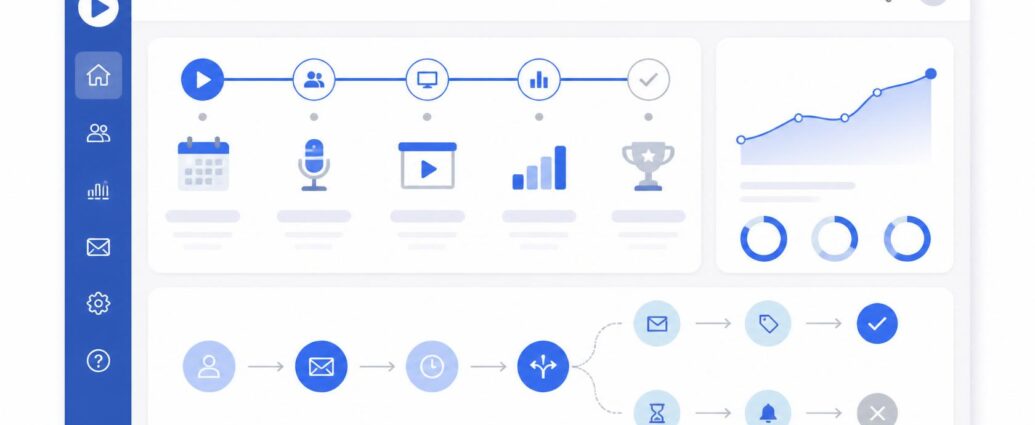
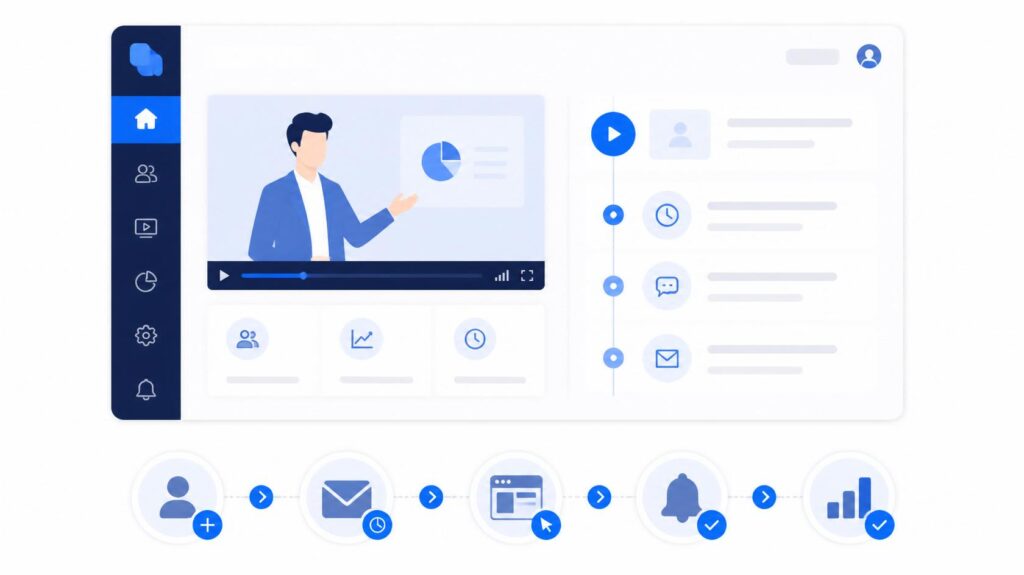
At its simplest, this process involves using a unified marketing platform to host pre-recorded video presentations that play automatically for your leads at scheduled times. Instead of relying on external streaming services and complex integrations, the platform handles everything within one dashboard.
By setting up automated webinars with FunnelCockpit, you consolidate your registration pages, email reminders, and the actual webinar viewing experience. It turns a traditionally complex technical task into a streamlined workflow designed for non-technical users.
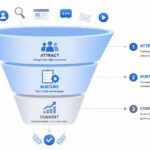
Before you dive into webinar automation, it helps to have a solid foundation; you can check out my previous guide on how to build a high-converting sales funnel in FunnelCockpit to understand the basic funnel structure.
3. Why It Is Important
Webinar automation is a cornerstone of modern lead nurturing for several reasons:
- Time Efficiency: You record the presentation once and let it generate value for months or even years.
- Consistent Experience: Every attendee gets the same high-quality presentation, regardless of the time zone.
- Sales Scalability: You can increase your traffic to these webinars without needing more of your personal time, allowing you to focus on other areas of your business.
4. Key Features for Automation Success
To get the most out of your automated event, you need to understand the platform’s core components:
- Registration Funnel: A dedicated landing page designed to capture contact information.
- Scheduling Engine: The ability to offer “just-in-time” webinars or specific recurring time slots.
- Follow-Up Automations: Pre-scheduled email sequences that remind registrants to show up and provide support after the event.
- Integration: A native checkout system to turn viewers into buyers immediately after the presentation.
5. Step-by-Step Guide
If you haven’t started yet, you can click here to get started with FunnelCockpit and begin setting up your first automated webinar today.
Follow these steps to ensure your webinar launch is technically sound:
- Prepare Your Content: Record your presentation with high-quality audio and video. Ensure it is engaging from start to finish.
- Create the Webinar Funnel: In your dashboard, select a webinar funnel template. Customize the registration page with a compelling title.
- Upload the Video: Connect your recorded file to the platform’s video hosting feature.
- Schedule the Sessions: Determine your frequency (e.g., every 30 minutes) based on your audience’s habits.
- Configure Email Reminders: Write a sequence that triggers 24 hours, 1 hour, and 15 minutes before the start time.
- Test the Flow: Register with a test email address to ensure you receive the confirmation and reminder emails as intended.
6. Neutral Perspectives on Automation Tools
While automated webinars are a powerful tool, it is important to remember that technology is only as good as the strategy behind it. Some businesses may find that a hybrid approach—starting with live sessions to refine their pitch before automating—works best. We advise keeping your approach neutral and testing what resonates with your specific audience rather than relying solely on automation from day one.
7. Comparison: Live vs. Automated Webinars
| Feature | Live Webinars | Automated Webinars |
| Personal Connection | High | Medium |
| Time Investment | High (Per session) | Low (Setup only) |
| Scalability | Limited | Unlimited |
| Content Updates | Easy | Requires New Recording |
8. Common Mistakes to Avoid
- Too Much “Fluff”: Keep your automated webinar concise. Respect your audience’s time by getting straight to the value.
- Weak Call-to-Action: If your audience doesn’t know what to do after the webinar, the session fails. Make your next step clear.
- Neglecting Mobile Users: Always ensure your webinar registration page and the viewing page are mobile-responsive.
9. Tips and Best Practices
- Authenticity Matters: Even though it is automated, speak as if you are talking to one person. Use natural language.
- Check Your Links: Before launching, verify that every button on your presentation page goes to the correct URL.
- Monitor Stats: Pay attention to how many people register versus how many actually show up. Use this data to improve your email reminders.
10. Conclusion
Mastering the Step-By-Step: Setting Up Automated Webinars With FunnelCockpit process can fundamentally change how you engage with your leads. By automating the presentation of your expertise, you create a system that works tirelessly to educate and convert your audience. Remember that success comes from testing, refining, and always putting the needs of your audience first.
FAQ
Q: Do I need a professional studio to record my webinar?
A: Not necessarily. A quiet room, a good microphone, and clear slides are often enough to produce a high-quality, effective presentation.
Q: Can I offer a discount inside an automated webinar?
A: Yes, you can include a limited-time offer or coupon code within the presentation to encourage immediate action from viewers.
Q: How often should I update my automated webinar?
A: It is a good practice to review your webinar every 6 months to ensure your content, offers, and examples are still relevant to your audience.